Hot Items
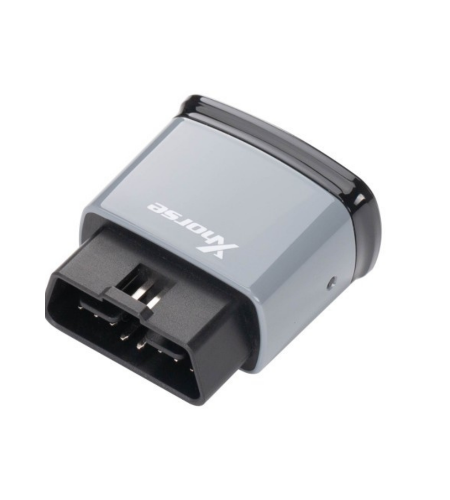
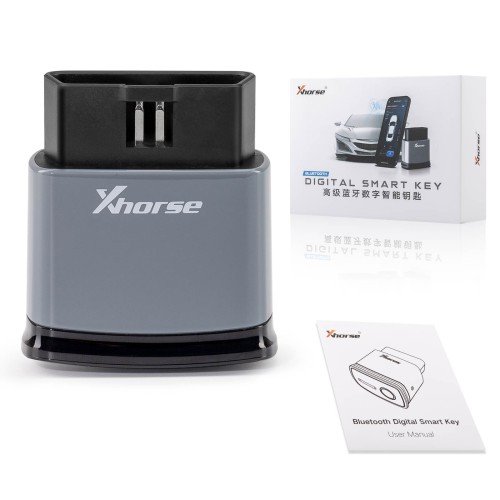
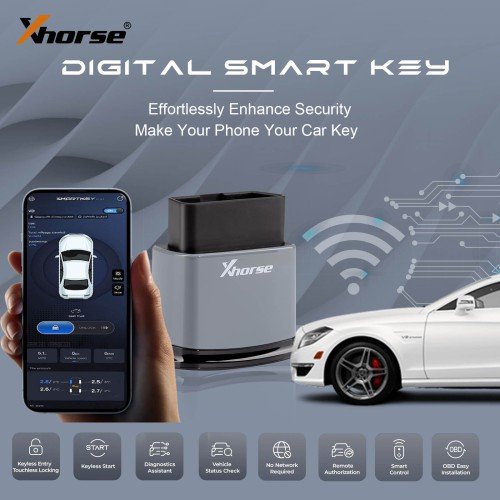
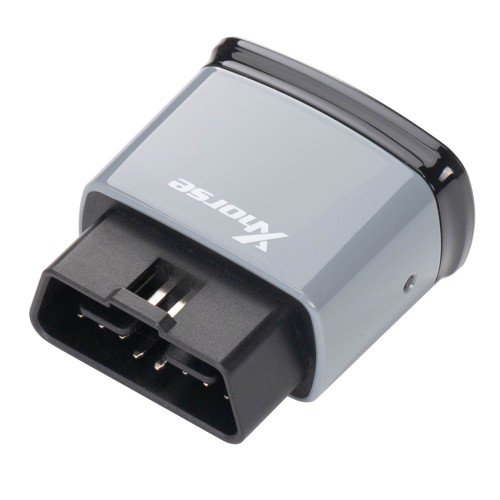
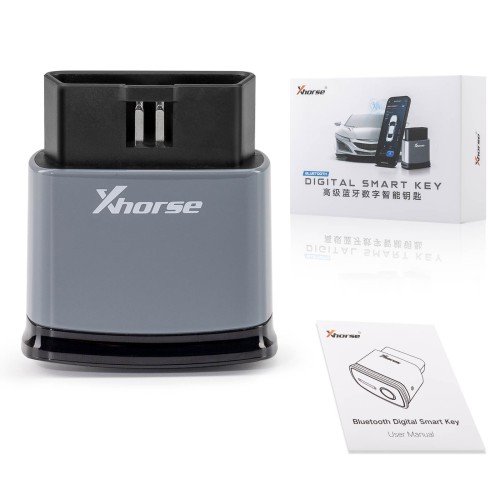
The Xhorse Bluetooth Digital Smart Key XSBTK0EN with built-in XM38 smart remote is designed to convert your smartphone into a secure, intelligent car key. Supporting both iOS and Android, this reusable smart remote allows users to start, lock, and diagnose their vehicles directly from their phones—no internet connection required.
With its BLE5.1 low-power Bluetooth chip, you can enjoy seamless keyless entry, touchless locking, and remote smart control. Compatible with over 90% of keyless-start vehicles, it supports key generation for more than 1,000 models. Control your car through the SmartKey Box app, available on both Google Play and the App Store.
XHORSE XSBTK0EN Bluetooth Digital Smart Key Supports iOS Android
The Xhorse Bluetooth Digital Smart Key is here to transform your phone into a smarter, more secure key!
With this cutting-edge device, you can replace traditional keys and even use your phone for diagnostics.
Xhorse Bluetooth Smart Key Features:
Built-in universal smart key, support over 90% keyless start function vehicle modifcation and the generation of over 1000 vehicle models
Feature keyless entry and touchless locking by locking
No need for a physical car key, achieving the keyless start through Bluetooth
Control the vehicle intelligently through the APP
Read fault codes, diagnosing the car with the phone easily
Keep informed about the vehicle status
Easily authorize the vehicle for remote use by friends and family
Equlpped with BLE5.1 low-power Bluetooth, no network is required
Binding provides dual security authentication
If Bluetooth is unauthorized, the key won’t work,which is more secure
No need to bury the original car key
OBD easy installation
SmartKey Box App
Available for download on:
*Google Play Store
*App Store
NOTE:
The device requires the use of Xhorse devices during the initial installation.
The battery is not included. Requires a CR2032 battery separately.

Keyless Entry,Touchless Locking
The phone is the intelllgent proximity key, even when the screen is off. It reliably senses within a default range of 1-10m for automatic unlocking when approached and 5-30m for automatic locking when departed. The sensing dstance can be adjusted as needed. When leaving the vehicle, the windows automatically close, and when approaching, the preset air conditioning automatically activates [requires original vehicle support).
Intelligent and Convenient Keyless Start
No need for a physical car key, the Bluetooth Smart Key system inside the car automatically recognizes the identity of the phone through Bluetooth, granting control over the entire vehicle,achieving the keyless start.
Your Diagnostic Assistant
Read faut codes without the need for assistance, diagnosing the car with the phone easily.
Remote Authorization for Vehicle Use
Easlly authorize the vehide for remote use by friends and familly in just two simple steps.
Built-in Universal Smart Key
Buit-in unlversal smart key, supporting over 90%keyless start function vehicle modifcation, supporting the generation of over 1000 vehide models, such as NXP serles immobizer types Induding 46/ 47/ 48/ 49/ 4A/ MCB,etc and TI serles 4D/ 8A types.
Multifunctional Remote Control
Control your vohicle intelligentty through the SMARTKEY APP, enabling operations such as unlocking, locking,opening the trunk ,etc.
Stay Informed of the Vehicle Status
Convenient and Intelligent, keeping Informed about the vehicle status, including mleage, fuel tank level, interior temperature, engine status, light status, tire pressure data ,etc.
No Network Required
Equipped with BLES.1 low-power Bluetooth,the product automatically connects to Bluetooth when the phone is near the vehicle. Even if the phone has no network or the vehicle has no signal,it still ensures control over the vehicle.
Binding Provides Dual Security Authentication
The binding of the phone and system requires two security authentications (Passkey authentication Bluetooth LESC secure connection,local asymmetric encryption algorithm bidirectional authentication), avoiding eavesdropping or replay attacks,and ensuring a safer pairing.
No Need to Bury the Original Car Key
Provide a brand new blank smart key that can replace the original car key function by matching it with the vehicle. The replacement key is not authorized by Bluetooth,and the key function is invalid. There is no need to place the original car key in the car, greatly improving vehicle safety.
Security Anti-theft Upgraded Again
Automatically locks when leaving the vehicle, the system activates power-off anti-theft, preventing unauthorized ignition even if someone illegally gains access to the key without system authorization.
OBD Easy Installation
NO need to disassemble/ weld/ bury/ damage original keys; No need to remove decorative panels; No need for wiring or needle picking; No need for buried wires.

| Feature | Xhorse XSBTK0EN Smart Key | Xhorse SmartKey Box |
|---|---|---|
| Phone-as-Key | ✅ Yes | ✅ Yes |
| Remote Start | ✅ Yes | ✅ Yes |
| OBD Plug & Play | ✅ Yes | ❌ Requires wiring |
| TPMS/IMMO Programming | ❌ No | ✅ Yes |
| Supports 12 Phones | ✅ Yes | ✅ Yes |
| User Type | End-users & locksmiths | Advanced locksmiths |
No more digging around for your car keys! The Xhorse Bluetooth Digital Smart Key upgrades your driving experience by turning your phone into a secure digital key and smart diagnostic assistant. Enjoy features like keyless entry, touchless locking, and even remote engine start. No internet connection? No worries—it runs seamlessly over Bluetooth. Installation is effortless via the OBD port, and full vehicle control is managed through the SmartKey Box app, available for both iOS and Android.
In this guide, you’ll learn how to set up and use your XSBTK0EN Smart Key, including step-by-step instructions for installation, programming, and activation. Ready to boost your vehicle’s security and smart functionality? Let’s get started.
Important: To ensure your vehicle’s security, first-time installation of this product must be done using a professional Xhorse programming device.
Let’s walk through the setup using the VVDI Key Tool Plus:
| Manufacturer |
|---|